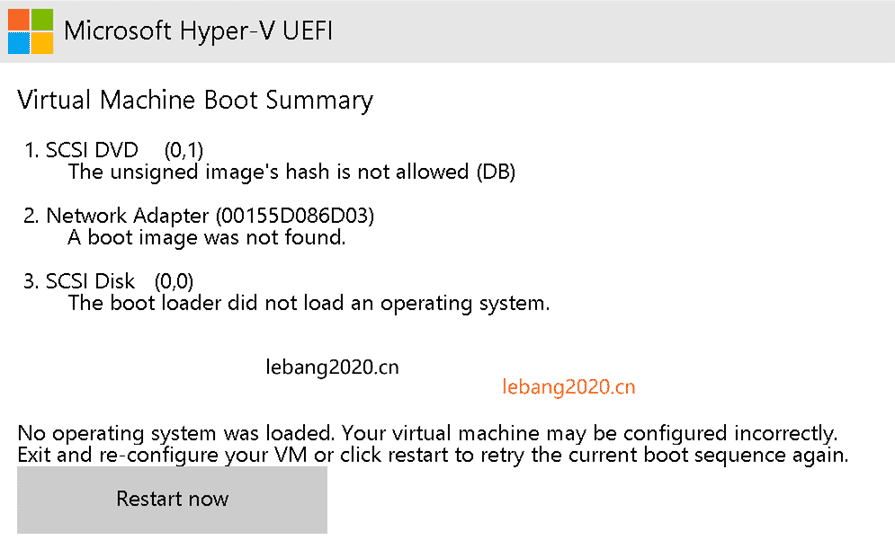
在Hyper-V新建了一个虚拟机,启动时总显示 Microsoft Hyper-V UEFI,进不了系统,指定了ISO也不行,不知道是为什么。Microsoft Hyper-V UEFI
Virtual Machine Boot Summary
1.SCSI DVD (0,1)The unsigned image's hash is not allowed (DB)
2.Network Adapter (00155D086D03)A poot image was not found.
3.SCSl Disk (0,0)The boot loader did not load an operating system.
No operating system was loaded, Your virtual machine may be configured incorrectly.
Exit and re-configure your V or click restart to retry the current boot sequence again.
Restart now
如下图:
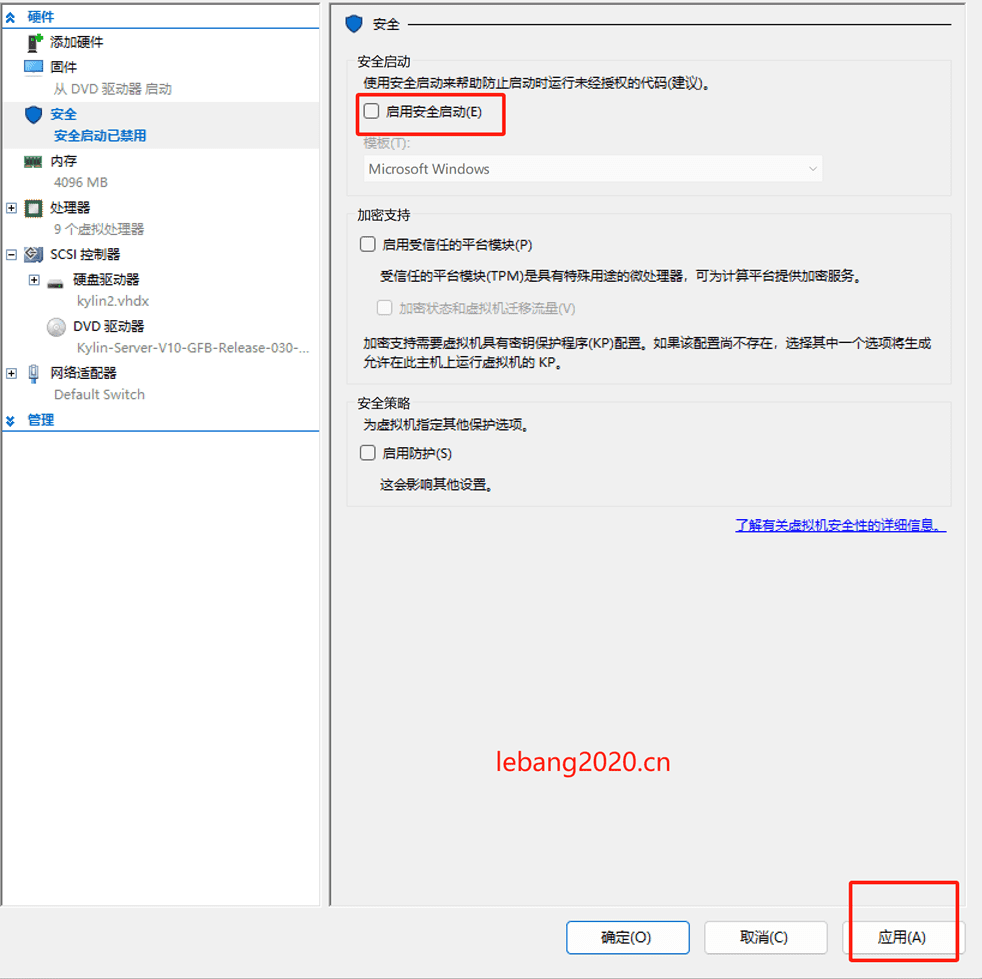
解决办法是,先把虚拟机强制关机,然后再在设置里面找到安全,启用安全启动选项,把它去掉就可以了,如下图: